


Ripl: Social Media Marketing
4.44.66K Reviews
App Specs
- Version
- 4.0.1004
- Updated On
- License
- Free
- Downloads
- 1,000,000+
- Developer
- Ripl Inc.
- Categories
- Art & Design
- Platform
- Android
Screenshots
 Analysis by AppCompare
When I need a social post that looks more considered than a quick photo and caption, I’m most interested in the design step: how easily can I turn a simple idea into something ready to share? Ripl: Social Media Marketing is built around that practical need. It is an art-and-design app from Ripl Inc. for making visual material for social channels, including posts, stories, promotional videos, flyers, and slideshows. I see its main appeal in helping someone produce polished-looking content without first learning a full graphic-design program.
A design-first approach to social content
The useful idea here is not that every post will become a masterpiece. It is that a template can give you a starting point when you have a message but no clear layout in mind. Instead of opening a blank canvas and deciding where every element belongs, I can choose a visual direction and adapt it to what I want to say. That can make the difference between posting regularly and putting off a post because designing it feels like another job.
Ripl is free to install, and its current version is 4.0.1001, with Android 8.0 or later required. The app has a 4.4 average from around 14,000 ratings and more than a million installs, so it has found an audience among people looking for approachable social-marketing tools. It is rated Teen. Some in-app purchases range from $9.99 to $299.99 per item, so I would check what is included before treating the free starting point as the whole experience.
From a rough idea to a finished asset
My sensible workflow would start with the purpose of the post, not the template. A weekend sale, a new menu item, and a short business announcement need different emphasis. Once I know the one thing a viewer should notice, a template helps me organize the message around it. I can then adjust colors, fonts, and images so the result feels connected to the business rather than like a design picked at random.
A small but useful design habit is to keep the first draft restrained. It is tempting to change every font and color just because the controls are available, but a post with one clear headline and a supporting image is often easier to read on a phone. I would also preview the wording at its final size: a phrase that looks tidy while editing may feel cramped once it is part of a social graphic. That check takes little effort and can prevent a busy-looking result.
The same approach helps when one idea needs to appear in several formats. A shop might want to announce a new product in a feed post, then use a related story to remind followers later. Keeping the central message and visual choices consistent makes the two pieces feel like part of the same campaign. I would still tailor the amount of text to each format instead of copying a crowded layout everywhere.
Where it fits among design alternatives
Compared with making every asset from scratch in a general-purpose design editor, Ripl’s template-led approach is more inviting when speed and a ready-made structure matter. A general design app may suit someone who wants precise control over layers, spacing, and custom compositions. Ripl makes more sense when the immediate goal is to create social-ready marketing material without spending a long time building the design framework first.
Worth Reading Before You Choose

EA SPORTS FC Mobile 26 Is a Bigger Football Game, but It Takes Time

Flipboard Shows What News Apps Must Do Beyond the Feed

Switching to Android Auto Means Rethinking Your Driving Routine

Google Calendar Makes a Crowded Week Easier to Manage

Ludo King Makes the Most of the Minutes Between Plans

Baby Panda World Brings Quick Play to Modern Phones, but Its Game Library Feels Busy
It also occupies a different place from simply posting through a social network’s own composer. Native tools are convenient for adding a quick update, but a dedicated design app can help when you want a more deliberate visual identity or material such as a flyer or slideshow. I would not expect a template to replace a carefully art-directed campaign; the advantage is the practical middle ground between a plain post and a fully custom design process.
A realistic routine for a small business
Imagine I run a neighborhood café and want to promote a seasonal drink. I could start by choosing one strong photo, write a short headline, and make the offer the most visible part of the design. I would avoid adding the full story of the drink to the image; that belongs in the caption or a separate piece of content. After creating the main visual, I could prepare a related story or short promotional video, keeping the colors and core wording consistent.
That routine is useful because it turns one idea into a small set of coordinated materials rather than a single rushed post. It does not mean every format should be identical. A flyer can carry more practical detail, while a social graphic benefits from a quick message that can be understood at a glance. Treating each asset as a different version of the same announcement is a better use of templates than simply duplicating the first design.
What to watch before committing
Template convenience has a trade-off: other businesses can gravitate toward similar visual styles. I would personalize the parts that matter most to recognition, especially the color choices, imagery, and headline, rather than assuming a template alone makes a brand distinctive. If a business depends on highly original illustration or exact control over every design element, a more advanced editor or a professional designer may be a better fit.
There is also a difference between making an attractive post and running a complete marketing operation. Ripl’s design focus can help with the creative work, but I would still think through the audience, offer, timing, and response I want. A polished graphic cannot fix an unclear promotion. Before publishing, I would read the text as a customer, check that the main point is obvious, and make sure the visual supports rather than distracts from it.
Because the app includes paid in-app purchases, I would explore the free experience first and only consider spending once I know which tools I actually use. That is especially sensible for someone posting occasionally. A regular small-business user may value a faster repeatable workflow more, while a casual user might find that a simpler editor or built-in social tools cover their needs well enough.
How Ripl works in everyday use
First things first, downloading Ripl was a breeze. Available on both Android and iOS, it took just a couple of taps and I was in. Once I opened the app, I was greeted with a clean and intuitive interface. It's like they knew exactly what I wanted before I even did!
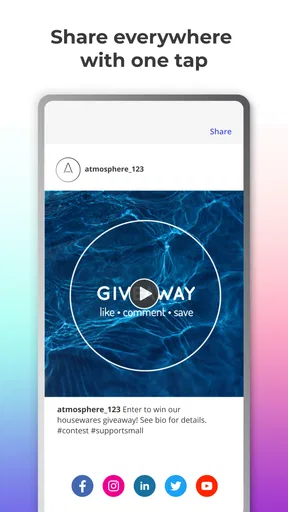
After creating an account, I was prompted to connect my social media accounts. With just a few clicks, I had my Facebook, Instagram, and Twitter all linked up. This integration makes sharing content across platforms super simple, saving tons of time.
Designing Eye-Catching Posts
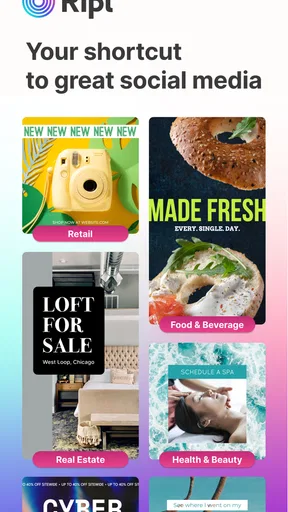
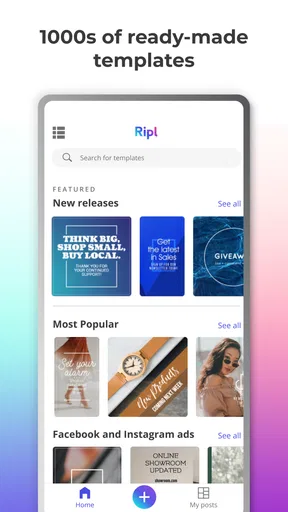
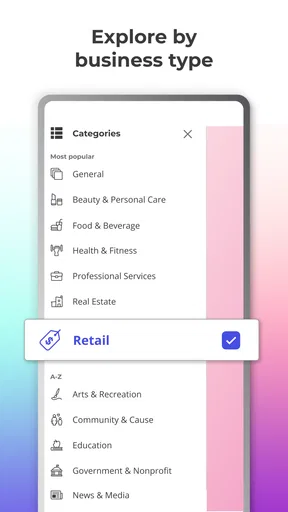
Now, onto the fun part - creating content! Ripl offers a plethora of templates to choose from. Whether you're in retail, hospitality, or just a personal brand, there's something for everyone. I found the templates to be beautifully designed, and they really helped my posts stand out.
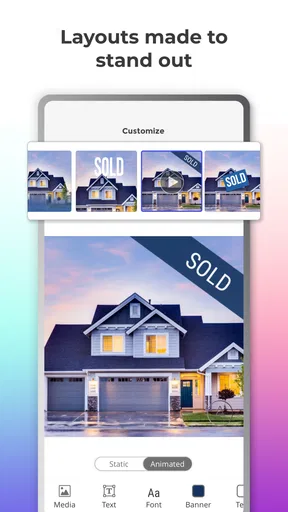
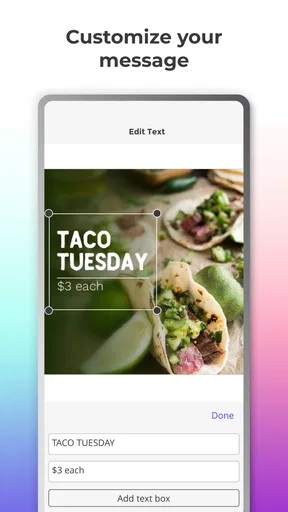
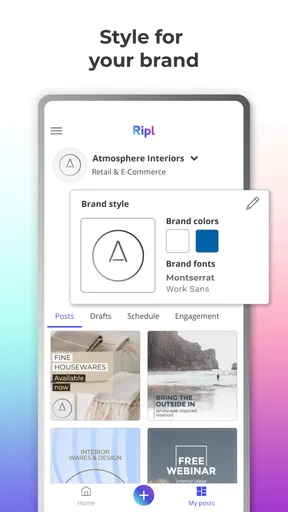
Customization is key, and Ripl doesn’t disappoint. I could easily tweak colors, fonts, and images to match my brand's aesthetic. Plus, the app offers a massive library of stock images and music to level up your posts.
Scheduling and Analytics
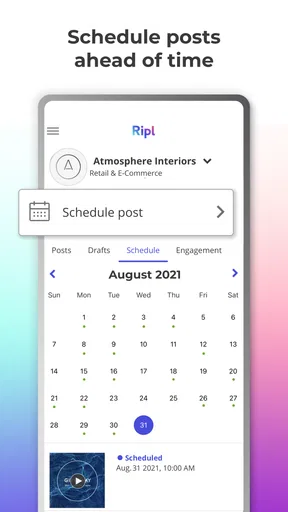
One of my favorite features is the scheduling tool. With Ripl, I can plan out my posts days or even weeks in advance. The app's calendar view gives a clear overview of scheduled posts, which is a lifesaver for staying organized.
The analytics feature is another winner. Ripl provides insights on post performance, showing likes, shares, and comments all in one place. This data is crucial for understanding what works and what doesn’t, allowing for strategic adjustments.
For a manageable routine, I would use the calendar to plan a few related posts around a single promotion, then leave room to respond to what is happening that week. Scheduling is most helpful when it removes last-minute design pressure, not when it encourages me to fill every available slot. Looking at performance afterward can help me notice which messages get more interaction, but I would treat those signals as clues rather than a complete explanation of why people responded.
Before connecting accounts or preparing a batch of content, I would decide which channels genuinely need the same message. A graphic designed for one audience may need a shorter headline or different framing elsewhere. Planning the assets together can save time, but reviewing each one in its intended context helps avoid the copy-and-paste feel that makes a small brand seem impersonal.
Community and Support
Another cool aspect is Ripl’s focus on community. The app offers inspiration through shared success stories and tips from other users. It's like having a support group of fellow marketers cheering you on.
And if you ever get stuck, Ripl’s support team is just a click away. I reached out with a query and received a helpful response within hours. Customer service like this makes a huge difference!
That kind of inspiration is most useful when I treat it as a prompt, not a recipe. A successful-looking example can suggest a layout or a way to frame an offer, but the wording and image still need to fit my own audience. Borrowing the general structure while replacing the specifics is a more practical way to learn from examples than trying to imitate another account’s personality.
Who is likely to get the most from it?
I’d point a solo shop owner, independent creator, or small organization toward Ripl if making presentable social graphics is a recurring task and design is not their main skill. It can also suit someone who wants to produce a mix of promotional formats from a phone and keep a basic content routine organized. The strongest fit is a person with a clear message who needs help turning it into an attractive visual quickly.
I would be less likely to recommend it to a designer who wants fine-grained creative control, a team that needs a specialized publishing workflow, or someone whose needs are limited to occasional plain-text updates. In those cases, a full design editor, a dedicated social-management service, or the platform’s own posting tools may be a better match. The right choice depends on whether the bottleneck is making the creative, coordinating a large operation, or simply sharing a quick update.
Wrapping It Up
In a world where social media is king, having a tool like Ripl: Social Media Marketing can be a game-changer. From designing stunning posts to analyzing their impact, this app covers all bases. While it may not replace the need for a dedicated social media manager, it certainly makes managing your own accounts a lot easier.
So, if you're ready to elevate your social media presence without the hefty price tag, give Ripl a shot. It’s user-friendly, effective, and just plain fun to use. Happy posting!
My recommendation is to begin with one real announcement rather than spending time exploring every template. Make a clear asset, check whether the layout remains readable on a phone, and see if the workflow feels natural before building a bigger routine around it. For me, Ripl’s best quality is making the first decent draft less intimidating; its limits show when a project calls for unusually precise design or a broader marketing system.
Pros
- User-friendly interface for quick navigation.
- Customizable templates for brand consistency.
- Integrates with multiple social platforms.
- Provides analytics to track performance.
- Supports scheduling for automated posts.
Cons
- Limited features in the free version.
- Occasional bugs in the mobile app.
- Some templates require in-app purchases.
- Video export can be slow at times.
- Requires a stable internet connection.
FAQs for Ripl: Social Media Marketing
What is Ripl, and how does it work for social media marketing?
Ripl is an app designed to simplify social media marketing by providing users with tools to create engaging content. It offers customizable templates, stock images, and scheduling features to streamline the creation and posting process. Users can craft videos and posts that align with their brand to boost engagement across platforms like Instagram, Facebook, and Twitter.
Is Ripl suitable for small businesses and individual entrepreneurs?
Yes, Ripl is particularly beneficial for small businesses and individual entrepreneurs. It offers affordable pricing plans and user-friendly features that do not require advanced graphic design skills. This makes it accessible for those with limited resources who wish to enhance their social media presence and marketing efforts effectively.
What platforms can I use Ripl on, and is it available on both Android and iOS?
Ripl is available for both Android and iOS devices, making it versatile and accessible for most users. It allows seamless integration with major social media platforms, enabling users to create and schedule posts directly from their mobile devices, ensuring convenience and efficiency in managing social media marketing.
Does Ripl offer any analytics or performance tracking features?
Yes, Ripl provides analytics and performance tracking features. Users can monitor the effectiveness of their posts through insights into engagement metrics such as likes, shares, and comments. This data helps users understand their audience better and refine their marketing strategies to achieve better results over time.
Are there any limitations or drawbacks to using Ripl?
While Ripl offers numerous benefits, there are some limitations to consider. The app may not have all the advanced features of more comprehensive social media management tools, and some users might find the customization options somewhat limited. Additionally, access to premium content and features requires a subscription, which might not suit all budgets.


